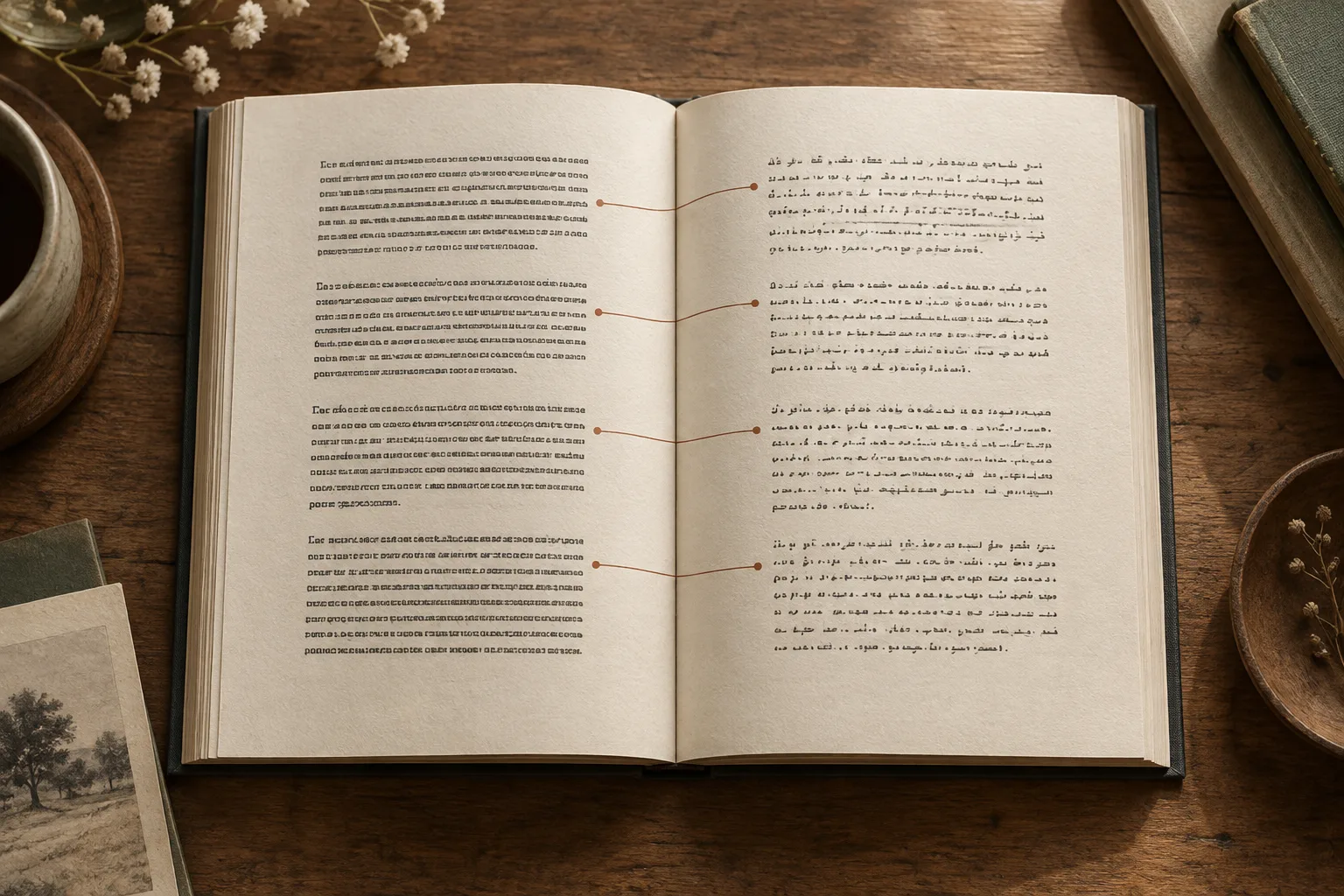
Choose Translation only to read continuously in the target language. Choose Bilingual to keep each source text block followed by its translation in the same EPUB. Bilingual output uses a sequence of text blocks, not facing pages or two side-by-side columns.
The best choice depends on how often you need the original:
| How you plan to read | Mode to consider | What changes in the file |
|---|---|---|
| Follow a novel without switching languages | Translation only | The translated body text reads continuously |
| Study vocabulary or compare technical terms | Bilingual | The source remains next to its translation in reading order |
| Read fluently and check the original occasionally | Translation only, with the original EPUB saved separately | You switch files only when you need a source passage |
If your source is a scan rather than an EPUB, start with the scanned PDF translation guide. A PDF needs text recognition before these reading choices become useful.
Download translation-only and bilingual EPUB samples
The Reading Room is a short English story written for this example, with two chapters and 403 words counted by the service. Download the original EPUB, the Simplified Chinese translation, and the English–Chinese bilingual EPUB.
PDF Craft generated both translated files on November 13, 2026 from the same original. Each task used Simplified Chinese and the same terminology notes for Mara, Leo, and Ana; only the output mode changed. The downloads are complete service outputs with no manual edits. Processing settings and file checksums record the two runs.
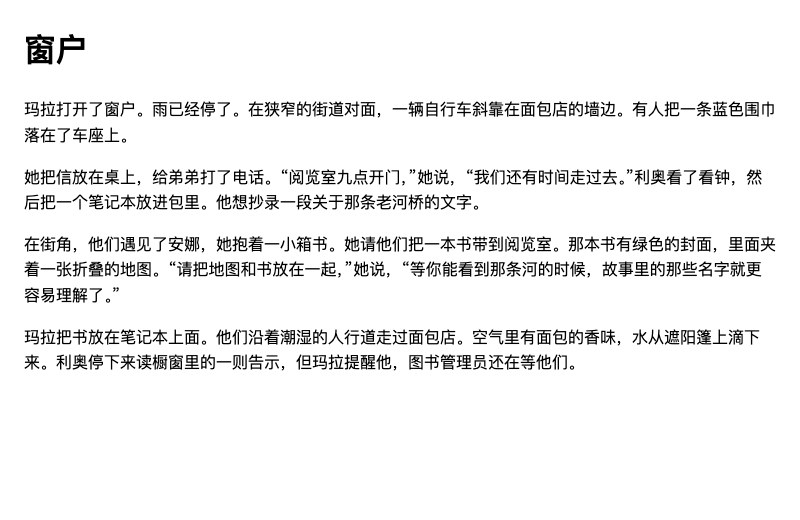
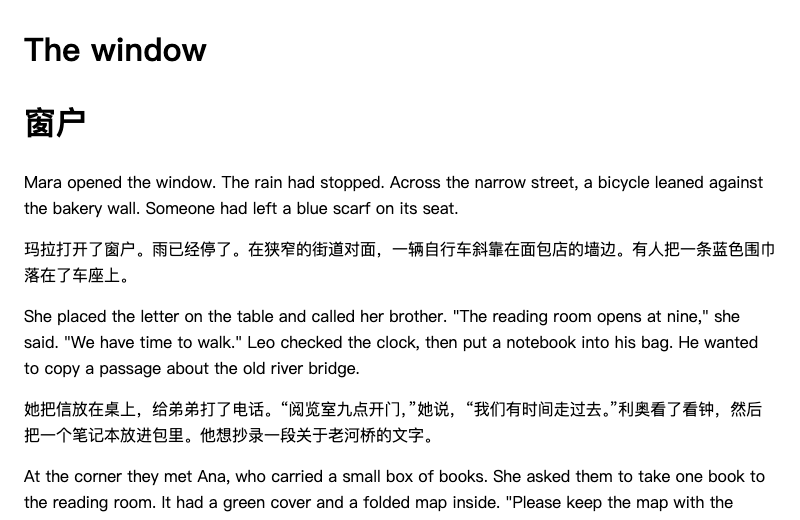
Both results retain the two chapter files and working chapter links in the table of contents. In the bilingual result, an English paragraph is followed by its Chinese translation. Open each file in your usual reader and compare the first paragraph, a later chapter, and the effect of increasing the font size. The screenshots show the EPUB body in a browser, not a Kindle or Kobo compatibility test.
The two translations were generated independently, so some wording differs. Use them to compare reading arrangement rather than as an exact sentence-for-sentence translation-quality benchmark. This original story contains no images or footnotes; for those elements, inspect the scan conversion sample.
Paragraph Layout and Reading Differences Between the Two Modes
Consider this short English-to-Spanish example, written here to illustrate paragraph order:
Mara opened the window. The rain had stopped.
She left the letter on the table.
Target-Only: Continuous Single-Language Reading
In target-only mode, the output replaces each source paragraph with its translation:
Mara abrió la ventana. Había dejado de llover.
Dejó la carta sobre la mesa.
Reading experience: The page unfolds in a single language, letting you follow the narrative without interruption. For novels, memoirs, popular essays, or any reading where you simply want to absorb the storyline at a natural pace, this mode keeps your momentum going. You can always keep the original EPUB handy in a separate file if you ever need to inspect an occasional sentence.
Bilingual Mode: Original Paragraph Followed by Translation
In bilingual mode, the system preserves the source text and inserts the corresponding translation directly after each original paragraph. The bilingual output stacks paragraphs sequentially rather than placing them in side-by-side columns:
Mara opened the window. The rain had stopped.
Mara abrió la ventana. Había dejado de llover.
She left the letter on the table.
Dejó la carta sobre la mesa.
Reading experience: Because the file retains both languages, there is more text to scroll through. Instead of reading straight ahead, your eyes naturally shift back and forth between the two languages. When you encounter specialized terminology, dense conceptual phrasing, or deliberate wordplay, the original wording sits right there above the translation—no switching back and forth between separate files.
If the source paragraphs are lengthy, a single source paragraph plus its translation might span across page turns, meaning you might not see both completely on a single screen. Shifting between languages during long reading stretches also takes some getting used to. If you are still deciding which approach fits your personal habits, check out Bilingual EPUB or Pure Translation.
Upload Settings and Writing Translation Instructions
Here is the workflow in the EPUB Translator:
- Upload your local EPUB file, making sure it opens normally in standard e-readers.
- Select your target language (for example, English or Chinese).
- Under Output mode, select Translation only or Bilingual. Use this setting to choose the arrangement; translation notes are for wording and terminology.
- Add any Terminology & Translation Notes, then select Confirm plan. Check your language, output mode, and current rates before choosing Confirm and start.
Concrete Examples of Translation Instructions
Translation instructions let you communicate your stylistic preferences to the translation model. Being specific about terminology and desired tone works far better than vague requests like "translate accurately and naturally." Common examples include:
- Proper nouns and character names:
Keep character names in their original English form without transliteration; use conventional target-language renderings for geographic names. - Technical domain terminology:
This is a book on low-level computer systems. When specialized terms (such as Thread Pool or Deadlock) first appear, include the original English term in parentheses; use standard domain translations thereafter. - Tone and register preferences:
This is an accessible social science essay. Maintain a plain, fluent tone and avoid overly formal or archaic idioms.
For more prompt combinations and ideas, take a look at our guide on book translation instructions.
File Organization and What to Do If You Pick the Wrong Mode
After your task finishes, you can store the original and translated files in the same folder. It helps to add clear suffixes upon downloading: for instance, name the original title-original.epub, the target-only edition title-en.epub, and the bilingual edition title-bilingual.epub. When syncing across multiple devices, distinct file names prevent opening the wrong edition from your library.
Open the downloaded EPUB in the reader you plan to use and check three things:
- Arrangement: read a short paragraph and a long one. Confirm that you see translated text alone or a source block followed by its translation, as selected.
- Reflow: increase the font size and narrow the reading window. In bilingual mode, a source block and its translation can fall on different screens; that does not by itself mean either is missing.
- Navigation: jump to a later chapter through the table of contents and follow a footnote if the book has one. Locate passages by chapter and wording rather than by a fixed page count.
Changing reader font settings changes the display, not the output mode. For names and specialist vocabulary, follow the EPUB terminology guide before starting another translation.
What If You Selected the Wrong Mode?
If you open the finished file only to realize you created a target-only file for a monograph you needed to study closely, or generated a bilingual file for a novel you just wanted to read casually, you will need to reselect the desired mode and submit a new task.
A new task incurs fresh processing charges. Double-checking your output mode and target language before submitting saves you the hassle of running the book twice. If you run into issues where a book will not open or styles render improperly, consult troubleshooting translated EPUBs for format diagnostics.